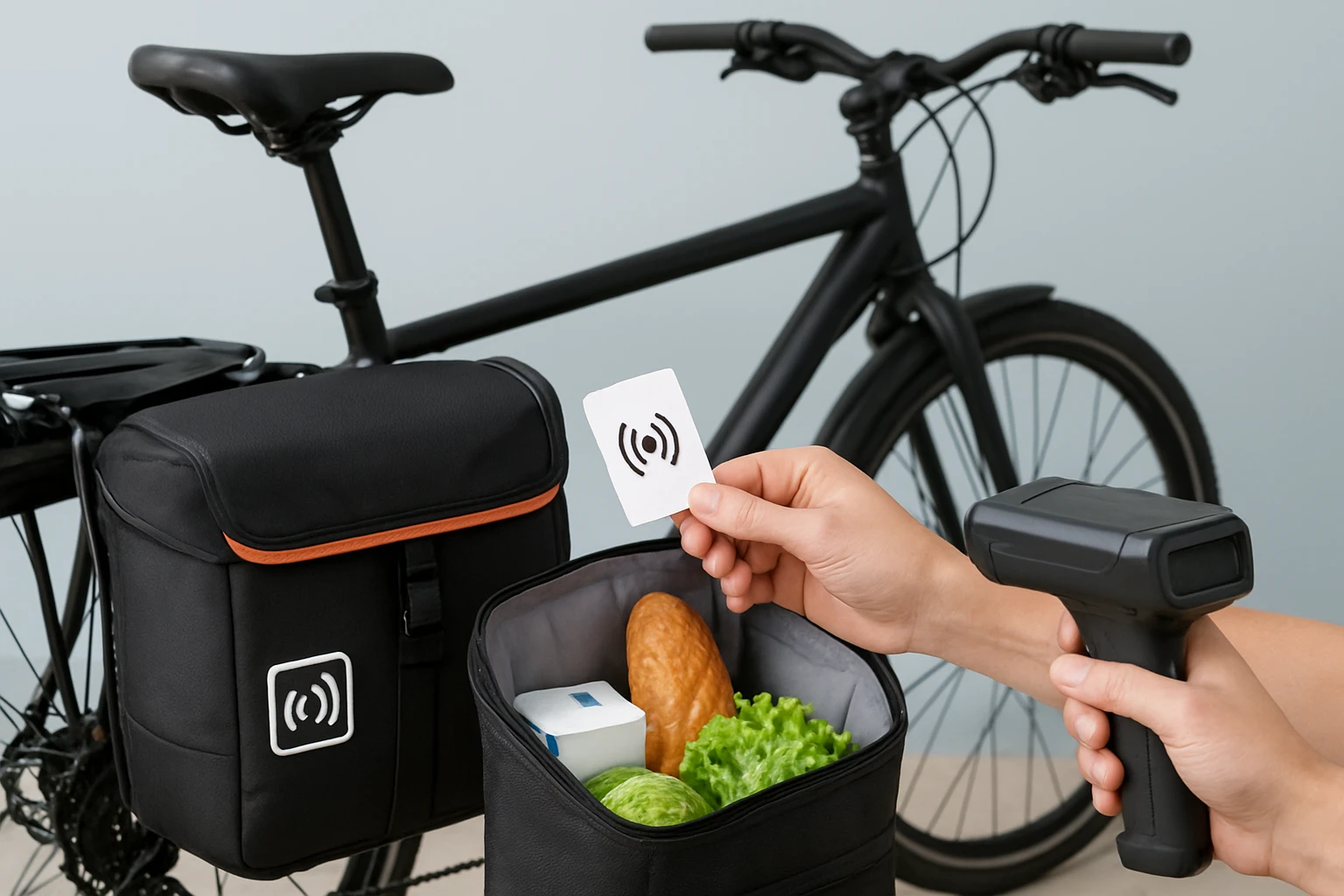

How to Set Up RFID Pannier Inventory Tracking for Efficient Multi‑Stop Shopping — A Step‑by‑Step Guide
Introduction
Modern shoppers often combine commuting, grocery runs, and errands into a single bike‑based journey. By integrating RFID (Radio‑Frequency Identification) technology with high‑capacity pannier bags, one can monitor items in real time, reduce forgetfulness, and accelerate checkout processes. This guide explains how to select, install, and use RFID‑compatible pannier bags, while also offering practical tips for maintaining accuracy during multi‑stop trips. Readers will leave with a reproducible system that saves time, protects belongings, and enhances overall efficiency.
What You’ll Need
- RFID tags or stickers for each item you intend to track.
- Handheld RFID reader or a smartphone with an NFC‑enabled app.
- Secure mounting hardware for the RFID reader (optional).
- KEMIMOTO Bike Pannier Bags – two 17 L waterproof bags (total 34 L).
- Adjustable bike rack compatible with the pannier bags.
- Basic tools: Allen wrenches, screwdriver, and zip ties.
Step 1: Choose an RFID Tagging Strategy
The first decision concerns how to label each product you plan to carry. Low‑cost passive RFID stickers adhere to packaging and require no battery, making them ideal for groceries, toiletries, and small accessories. For heavier items such as tool kits or bulk food containers, consider durable RFID tags with stronger antennae to ensure reliable reads through the bag’s fabric. By assigning a unique identifier to every category, the reader can instantly compile a list of contents, eliminating manual inventory checks.
Step 2: Install the KEMIMOTO Bike Pannier Bags
Mounting the pannier bags correctly is critical for both balance and RFID performance. Begin by confirming that your bike rack width is less than six inches, as the KEMIMOTO bags are engineered for that dimension. The bags feature six heavy‑duty straps and two side hooks; secure each strap tightly to the rack, then attach the side hooks to prevent lateral movement while riding. The obtuse‑angle design provides ample pedaling clearance, reducing heel strikes and ensuring a smooth ride during long shopping trips.
The waterproof construction—600D Oxford fabric with a PVC layer—protects RFID tags from rain, sweat, and accidental splashes. This durability is especially valuable when transporting perishable groceries that may release moisture. The integrated rain cover adds an extra barrier, guaranteeing that the tags remain readable even in sudden downpours.
Key product details: price $35.99, rating 4.4/5 from 2,429 reviews, and a total capacity of 34 L across both bags. The large compartments accommodate bulk purchases, while exterior pockets offer quick access to frequently used items such as a wallet or phone.
Step 3: Prepare the RFID Reader
Select a handheld RFID reader that supports the frequency band of your tags (typically 860‑960 MHz for UHF tags). If you prefer a smartphone solution, install an NFC‑compatible app and test its ability to read the chosen stickers. Position the reader on the bike’s handlebars using zip ties or a dedicated mount, ensuring it faces the interior of the pannier bags without obstructing steering. A stable mounting point reduces motion blur during reads, which is essential when the bike is in motion.
Step 4: Tag Your Shopping Items
Before each trip, affix an RFID sticker to every item you intend to place in the pannier bags. For groceries, attach the tag to the packaging or, if the product lacks a surface, place the tag inside a small zip‑lock bag. Group similar items together—produce in one compartment, pantry staples in another—to simplify later scanning. Record the tag IDs in a simple spreadsheet or note‑taking app, linking each ID to the product name and quantity.
Step 5: Load the Panniers and Perform an Initial Scan
Place the tagged items into the appropriate compartments of the KEMIMOTO bags, balancing weight evenly between the left and right sides. Once loaded, activate the RFID reader and sweep it across the interior of each bag. The reader should display a list of detected tags; verify that the count matches your spreadsheet. If any items are missing, re‑scan the bag or adjust the tag placement to avoid interference from metal objects.
Step 6: Manage Inventory During Multi‑Stop Shopping
As you stop at each store, add new purchases by tagging them and scanning again. The reader will automatically update the inventory list, allowing you to monitor total weight and remaining capacity in real time. If the bag approaches its 34 L limit, consider off‑loading less‑urgent items to a backpack or a secondary bag. The waterproof nature of the KEMIMOTO panniers ensures that newly added items remain protected from weather changes throughout the journey.
Step 7: Verify Checkout Accuracy
Before leaving the final destination, perform a final scan of both pannier bags. Compare the displayed list with your receipt to confirm that all purchased items have been accounted for. This step reduces the likelihood of forgotten groceries or misplaced tools, and it provides a quick audit for budgeting purposes. If discrepancies appear, re‑scan individual compartments to isolate the missing tag.
Tips & Pro Tips
- Label Consistency: Use the same brand of RFID stickers for all items to avoid frequency mismatches.
- Battery Management: Keep spare batteries for the handheld reader; a low‑battery alert can cause missed reads.
- Tag Placement: Avoid placing tags directly on metal cans or foil‑wrapped foods, as metal can block RF signals.
- Weight Distribution: Load heavier items low and near the bike’s centerline to maintain stability.
- Rain Protection: Even though the KEMIMOTO bags are waterproof, seal any open zippers with the provided rain cover during heavy storms.
Troubleshooting
Problem: Reader fails to detect certain tags.
Solution: Re‑position the tag away from metal surfaces, ensure the tag is not covered by thick fabric, and verify that the reader’s antenna is oriented correctly.
Problem: Bags become unbalanced after multiple stops.
Solution: Redistribute items between the left and right panniers, using the external pockets for lighter objects to even out the load.
Problem: Water ingress damages tags.
Solution: Double‑seal the rain cover and consider placing a thin waterproof sleeve inside the bag for particularly sensitive electronics.
Conclusion
By following this guide, one can transform ordinary bike pannier bags into a sophisticated inventory‑tracking system powered by RFID technology. The combination of waterproof KEMIMOTO Bike Pannier Bags and a reliable RFID reader streamlines multi‑stop shopping, reduces forgotten items, and enhances overall cycling efficiency. Readers are encouraged to experiment with tag placement, refine their loading strategy, and enjoy the convenience of a fully automated shopping workflow.
Products Mentioned in This Guide
Frequently Asked Questions
What is RFID pannier inventory tracking and how does it work?
It uses RFID tags attached to items and a reader in the bike pannier to automatically identify and count contents in real time.
Which RFID tags are best for grocery items in a bike pannier?
Low‑frequency (125 kHz) passive tags or stickers are ideal because they’re cheap, have short read ranges, and work well with most handheld readers.
How do I install a handheld RFID reader on my bike?
Mount the reader on the bike rack or inside the pannier using zip ties or a custom bracket, then route power (battery or USB) to keep it accessible.
Can I use my smartphone’s NFC to read RFID tags in the pannier?
Yes, if the tags are NFC‑compatible (13.56 MHz), a smartphone with an NFC app can scan them, though range is limited to a few centimeters.
How can I maintain accurate tracking during multi‑stop trips?
Secure tags to items, regularly scan the pannier after each stop, and keep the reader’s firmware updated to avoid missed reads.