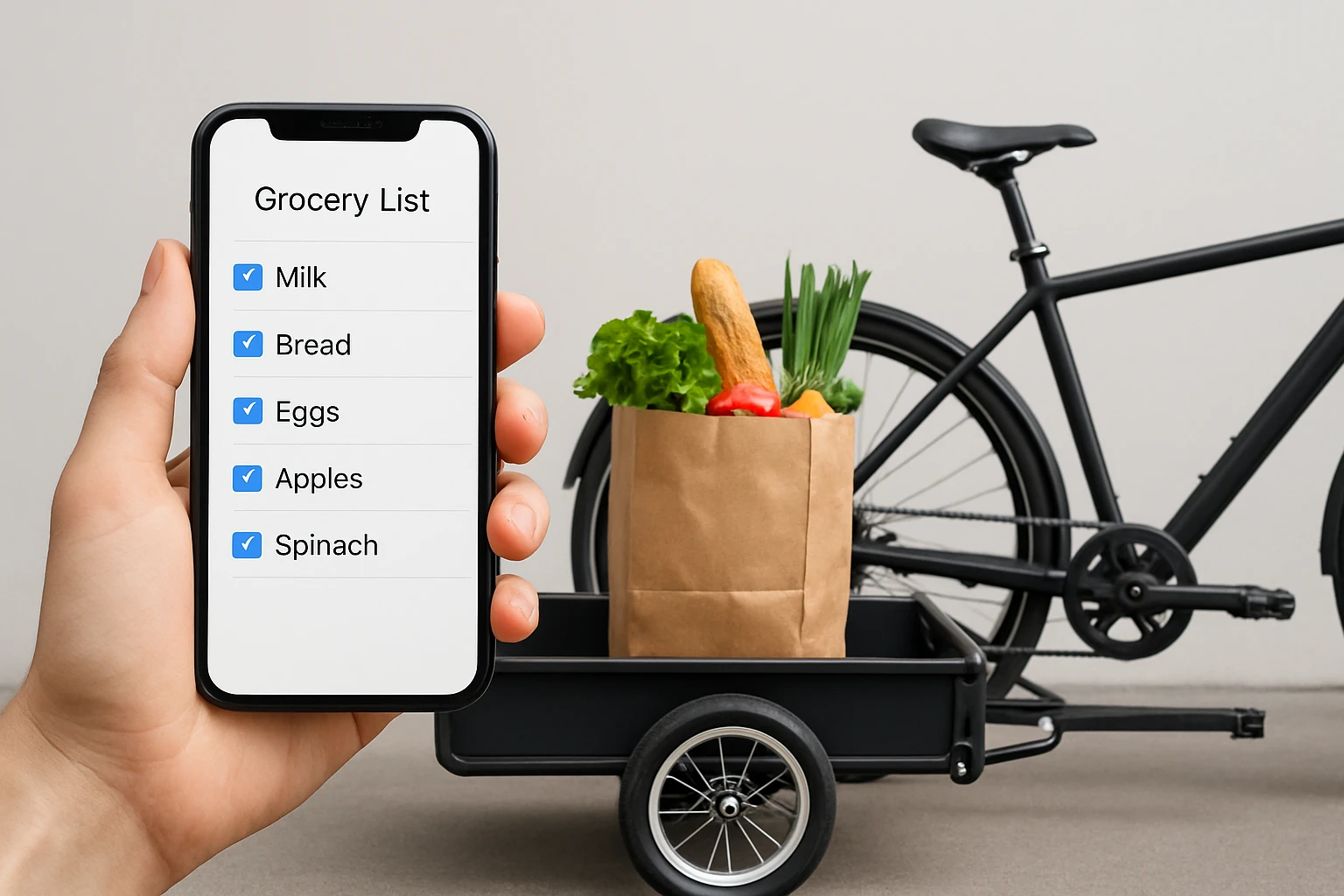

How to Integrate Grocery List Apps with Bike Cargo Planning for Efficient Bicycle Grocery Runs
Introduction
One will discover how to synchronize digital grocery list applications with practical bike cargo solutions to streamline weekly shopping trips. This guide explains the benefits of planning purchases, optimizing load distribution, and ensuring safety while cycling with groceries. By the end of the article, readers will be able to execute a complete grocery run using a bike trailer without unnecessary back‑and‑forth trips to the store. The approach saves time, reduces carbon emissions, and promotes a healthier lifestyle.
What You'll Need
- Smartphone with a grocery list app (e.g., AnyList, Google Keep, or Out of Milk).
- Reliable bike trailer – WIKE Flatbed Bike Trailer.
- Standard bike with a compatible hitch.
- Reusable grocery bags or insulated tote bags.
- Basic tools for minor adjustments (Allen wrench, screwdriver).
Step 1: Choose and Set Up a Grocery List App
Begin by selecting a grocery list application that offers categorization, item quantities, and the ability to share lists across devices. Applications such as AnyList provide cloud synchronization, allowing one to edit the list from a phone or tablet while on the move. After installing the app, create categories that mirror the compartments of the trailer – for example, produce, dairy, and bulk items. This categorization will later guide load placement, ensuring balanced weight distribution and easy access.
Once the list is populated, enable push notifications for low‑stock alerts; these alerts remind the cyclist to restock essential items without over‑packing. The app’s barcode scanner can also be used to add items quickly, reducing the time spent at the store. By organizing the list digitally, one eliminates the need for paper notes, which can be lost in the trailer’s cargo area.
Step 2: Install and Inspect the WIKE Flatbed Bike Trailer
Attach the WIKE Flatbed Bike Trailer to the bike using the included steel bike hitch. The hitch offers a quick‑release mechanism that secures the trailer in under a minute, making it ideal for spontaneous grocery trips. Verify that the aluminum frame is free of dents and that the riveted solid flooring is clean, as any debris could damage grocery bags.
The trailer’s 125 lb payload capacity comfortably exceeds the average weekly grocery load, which typically ranges between 70 lb and 90 lb. The 20‑inch pneumatic wheels provide smooth rolling over sidewalks and light gravel, reducing vibration that could disturb delicate produce. Before loading, fold the wheels and towbar into the flat cargo area to confirm that the trailer can be stored compactly when not in use.
Step 3: Plan Load Distribution Using the App Categories
Open the grocery list app and review the categories created in Step 1. Place heavier items such as canned goods, milk cartons, and bulk paper products at the rear of the trailer, near the axle, to maintain a low center of gravity. Lighter, fragile items like bread, berries, and eggs should be positioned toward the front, directly above the hitch, to minimize sway during braking.
Because the WIKE trailer features a flat, open platform, one can use reusable grocery bags to create virtual compartments that correspond to the app categories. Secure each bag with a lightweight strap or bungee cord to prevent shifting. The trailer’s built‑in red rear reflectors enhance visibility, especially when the load extends close to the rear edge, ensuring safety during low‑light conditions.
Step 4: Load the Trailer Efficiently
At the store, retrieve items from the shelves according to the app’s order. This systematic approach reduces the time spent wandering aisles and prevents duplicate purchases. As each item is placed into its designated bag, check it off in the app to maintain a real‑time inventory of what has been loaded.
When the trailer is near full capacity, double‑check weight balance by gently pressing on each side; the load should feel evenly distributed. If the trailer feels rear‑heavy, shift some of the weight forward using the bungee cords. The quick‑release wheels allow for rapid adjustments without disassembling the entire trailer.
Step 5: Secure the Load and Begin the Ride
Before departing, ensure that all bags are fastened and that the trailer’s latch is engaged. The WIKE trailer’s steel‑reinforced aluminum towbar provides a sturdy connection that absorbs road shocks, protecting groceries from sudden impacts. Adjust the bike’s tire pressure to the manufacturer’s recommendation for optimal handling, especially when carrying a full load.
During the ride, maintain a moderate speed and use gentle braking to avoid abrupt stops that could cause the cargo to shift. The trailer’s reflective elements improve visibility to motorists, while the flatbed design allows one to quickly unload items at the doorstep without having to climb into the trailer.
Tips & Pro Tips
- Use insulated tote bags for frozen or refrigerated items to maintain temperature during the ride.
- Schedule grocery trips during cooler parts of the day to prevent perishable foods from warming.
- Carry a small repair kit for the trailer’s quick‑release wheels; a puncture can be fixed on the road without abandoning the load.
- Enable the app’s “share list” feature with a partner; they can add items remotely, reducing the need for multiple trips.
- Periodically clean the trailer’s flooring to prevent sticky residues from damaging bag handles.
Troubleshooting
Problem: The trailer feels unstable during turns.
Solution: Re‑distribute weight so that heavier items are centered over the axle. Ensure that the hitch is tightened securely, and check that the wheels are properly inflated.
Problem: Items shift despite straps.
Solution: Use additional bungee cords or a cargo net that can be attached to the trailer’s built‑in anchor points. This provides extra tension and prevents lateral movement.
Conclusion
By integrating a digital grocery list app with the robust WIKE Flatbed Bike Trailer, one can achieve efficient, organized, and safe bicycle grocery runs. The systematic planning of items, thoughtful load distribution, and use of quality cargo equipment reduce trip frequency and environmental impact. Readers are encouraged to apply these steps on their next shopping outing and experience the convenience of a well‑planned bike cargo system.
Products Mentioned in This Guide
Frequently Asked Questions
How can I sync my grocery list app with my bike cargo plan?
Use the app to tag items by weight and size, then arrange those tags to match the trailer’s compartments before loading.
Which grocery list apps work best with bike trailers?
AnyList, Google Keep, and Out of Milk are popular because they support custom tags and easy export for load planning.
How do I determine the optimal load distribution in a bike trailer?
Place heavier items low and centered, lighter items on top, and balance left‑right to keep the bike stable.
What safety precautions should I take when cycling with groceries?
Secure all bags, check tire pressure, wear a helmet, and stay within the trailer’s weight limit.
Can I use reusable bags with a bike trailer without spilling?
Yes, use zip‑top or insulated bags and fasten them with straps or bungee cords inside the trailer.