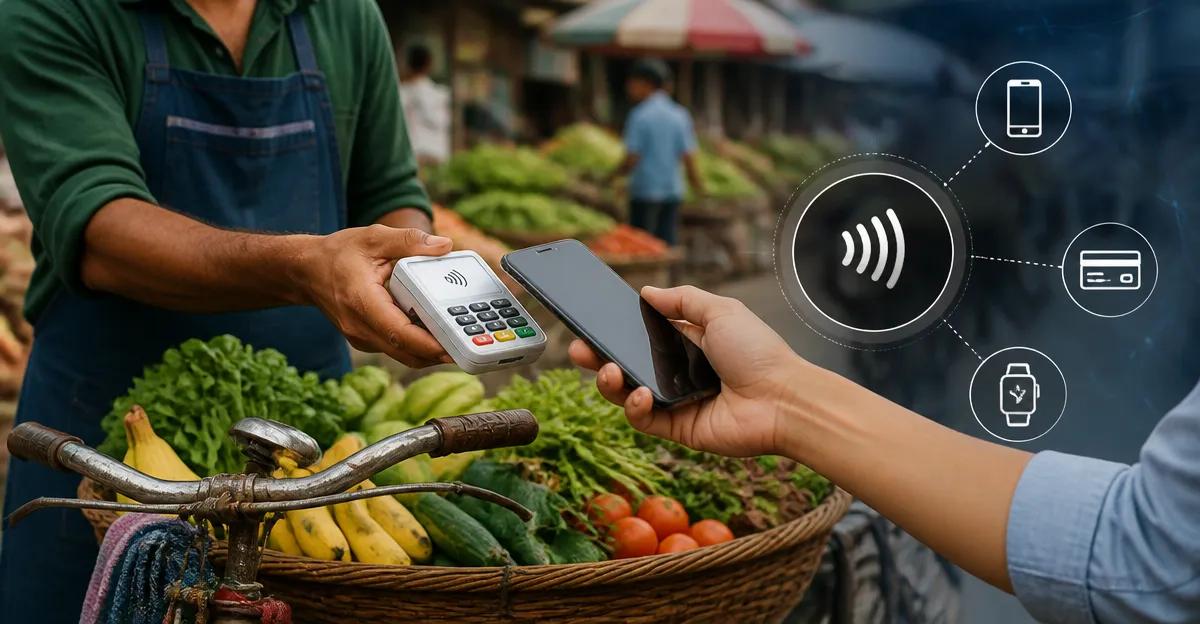
Contactless Payment Integration: The Complete Guide for Market Bike Vendors — Accept NFC, Mobile Wallets & Tap-to-Pay on the Go
Introduction
Market bike vendors increasingly rely on fast, secure, and frictionless payment methods to serve customers who prefer tap‑to‑pay solutions. This guide explains the essential concepts of contactless payments, outlines the technology stack required for on‑the‑go transactions, and demonstrates how to select and deploy the right hardware. Readers will learn how to configure NFC‑enabled readers, integrate mobile wallets, and maintain compliance while keeping operations lightweight and reliable.
The article balances theoretical foundations with actionable product recommendations, ensuring that vendors can make informed purchasing decisions without feeling pressured. By the end of the guide, one will possess a clear roadmap for turning a simple bike stall into a modern, cash‑free point of sale.
Background & Context
Contactless payment technologies rely on Near Field Communication (NFC) protocols that enable a device to exchange encrypted data when placed within a few centimeters of a reader. Major mobile wallets such as Apple Pay, Google Pay, and Samsung Pay use tokenization to replace sensitive card numbers with temporary tokens, reducing fraud risk. In a bustling market environment, speed and reliability are paramount; a transaction that takes more than a few seconds can cause queues and lost sales.
Regulatory frameworks, including PCI‑DSS and EMV standards, dictate that payment devices must encrypt data at the point of capture. Vendors must also consider connectivity options—cellular, Wi‑Fi, or tethered mobile hotspots—to ensure continuous transaction processing. Understanding these constraints helps vendors choose devices that align with their operational realities.
Choosing the Right Contactless Reader
When selecting a reader, vendors should evaluate three primary dimensions: compatibility, durability, and ease of integration. Compatibility determines whether the device works with the chosen payment processor (e.g., Square, PayPal, Stripe) and supports the required NFC standards. Durability is critical for outdoor markets where dust, rain, and rough handling are common. Finally, ease of integration encompasses setup time, software support, and the availability of developer resources.
For vendors already using Square's ecosystem, the Square Contactless & Chip Reader offers a seamless bridge between hardware and Square's cloud‑based POS. It accepts both NFC payments and chip‑card transactions, making it versatile for customers who still prefer physical cards. The device connects via Bluetooth, operates on iOS and Android, and includes a built‑in battery that lasts up to 30 days of typical use.
Vendors who need a magnetic stripe reader for legacy cards can complement the contactless device with the Square USB‑C Magstripe Reader. This reader plugs directly into a USB‑C enabled tablet or smartphone, providing a compact solution for processing swiped cards without additional dongles.
In addition to payment readers, vendors often require card adapters to transfer sales data, inventory images, or receipts between devices. The BENFEI 4‑in‑1 Card Reader supports SD, micro‑SD, CF, and MS cards, enabling quick data migration across laptops, tablets, and smartphones. Its USB‑C and USB‑3.0 interfaces ensure fast transfer speeds, which is valuable when backing up daily sales logs.
For iPhone‑centric vendors, the SZHAIYIJIN iPhone SD Card Reader offers a plug‑and‑play solution that attaches directly to the Lightning port, supporting both SD and micro‑SD cards without requiring a separate app. This can be useful for quickly uploading promotional videos or product images to social media directly from the market stall.
Finally, the UGREEN USB‑C SD Card Reader provides a 2‑in‑1 design for SD and micro‑SD cards, featuring USB‑3.0 speeds and a compact aluminum case that resists wear and tear. It is an excellent backup device for vendors who operate on both Android and iOS platforms.
Step‑by‑Step Setup for Square Contactless & Chip Reader
Setting up the Square Contactless & Chip Reader involves four key phases: unboxing, pairing, configuring the Square Dashboard, and testing a live transaction. First, remove the device from its packaging, ensuring the battery indicator shows a green light. Next, enable Bluetooth on the vendor's smartphone or tablet and launch the Square Point of Sale app.
Within the app, navigate to Settings > Hardware > Card Readers and select "Add New Reader." The app will scan for nearby devices; once the Square Contactless & Chip Reader appears, tap to pair. The pairing process typically completes within ten seconds.
After pairing, configure payment preferences in the Square Dashboard: enable NFC, chip, and, if desired, contactless debit options. Vendors should also set up receipt options, tax rates, and inventory items to streamline the checkout experience.
Finally, perform a test transaction using a personal NFC‑enabled card or mobile wallet. Verify that the transaction appears in the Square Dashboard, and that the receipt is generated correctly. If any issues arise, consult Square's troubleshooting guide or contact support.
Integrating Mobile Wallets and NFC Payments
Mobile wallets communicate with the reader via NFC, transmitting a tokenized payment credential. The vendor's device must support the appropriate operating system version to ensure compatibility with Apple Pay, Google Pay, and Samsung Pay. For iOS devices, iOS 13 or later is required; for Android, version 8.0 or newer is recommended.
When a customer taps their device, the reader displays a green light and a short vibration, confirming a successful read. The transaction amount is then encrypted and sent to Square's servers over a secure TLS connection. Vendors should verify that their internet connection is stable; a weak signal can cause timeouts and duplicate charges.
It is advisable to display clear signage indicating accepted payment methods. Simple icons for NFC, Apple Pay, and Google Pay reduce friction and encourage customers to use the fastest payment option available.
In addition to payment processing, vendors can leverage Square's analytics to track the proportion of contactless versus chip transactions, informing future equipment purchases and promotional strategies.
Comparison & Selection Guide
| Feature | Square Contactless & Chip Reader | Square USB‑C Magstripe Reader | BENFEI 4‑in‑1 Card Reader | UGREEN USB‑C SD Card Reader | SZHAIYIJIN iPhone SD Card Reader |
|---|---|---|---|---|---|
| Primary Function | Contactless (NFC) + Chip | Magstripe | Data Transfer (SD, micro‑SD, CF, MS) | Data Transfer (SD, micro‑SD) | Data Transfer (SD, micro‑SD) for iPhone |
| Connectivity | Bluetooth | USB‑C (plug‑in) | USB‑C & USB‑3.0 | USB‑C | Lightning |
| Compatibility | iOS, Android, Square POS | iOS, Android (USB‑C devices) | Windows, macOS, Android, iOS (via adapter) | Windows, macOS, Android, iOS (via adapter) | iPhone, iPad (Lightning) |
| Battery Life | Up to 30 days | None (powered by device) | None (pass‑through power) | None (pass‑through power) | None (pass‑through power) |
| Durability | IP54 splash‑proof | Metal housing | Aluminum case | Aluminum case | Plastic housing |
The table highlights that the Square Contactless & Chip Reader is the only device that directly processes payments, while the other readers serve auxiliary data‑management roles. Vendors should prioritize a payment‑focused reader first, then add data adapters as needed.
Best Practices & Tips for Market Bike Vendors
- Maintain a fully charged battery on the contactless reader each morning; a low‑battery indicator can cause intermittent connectivity.
- Secure the reader with a small zip‑tie or Velcro strap to prevent accidental drops during high‑traffic periods.
- Enable automatic software updates on the Square app to receive the latest security patches and feature enhancements.
- Use a mobile hotspot with at least 5 Mbps upload speed to guarantee swift transaction approvals.
- Regularly back up sales logs to a USB‑C card reader such as the BENFEI 4‑in‑1 or UGREEN model to protect against data loss.
- Display a QR code that links to a digital receipt option; this reduces paper waste and speeds up the checkout flow.
By following these practices, vendors can minimize downtime, protect customer data, and deliver a frictionless purchasing experience that encourages repeat business.
Frequently Asked Questions
- Can the Square Contactless & Chip Reader accept both Apple Pay and Google Pay? Yes; the device adheres to the EMVCo NFC standards, which are compatible with all major mobile wallets.
- Do I need a separate internet plan for the reader? No; the reader uses the vendor's smartphone or tablet for connectivity, so a stable data plan on that device is sufficient.
- What is the transaction fee for NFC payments through Square? Square typically charges 2.6% + 10¢ per swipe, tap, or dip transaction for in‑person sales; fees may vary based on the vendor's plan.
- Is the Square USB‑C Magstripe Reader compatible with Android tablets? Yes; as long as the tablet supports USB‑C OTG (On‑The‑Go), the magstripe reader will function.
- Can I use the BENFEI 4‑in‑1 Card Reader to transfer Square sales reports? Absolutely; export the reports as CSV files to an SD card, then insert the card into the BENFEI reader for quick transfer to a laptop.
- How do I keep my reader safe from rain? Store the device in a waterproof pouch when not in use, and choose a reader with an IP rating (the Square Contactless & Chip Reader is IP54).
- Do I need a separate receipt printer? Square offers a portable Bluetooth receipt printer; however, many customers prefer digital receipts sent via email or SMS.
Conclusion
Integrating contactless payment technology empowers market bike vendors to serve a broader customer base, reduce cash handling risks, and accelerate transaction times. By selecting the appropriate reader—such as the Square Contactless & Chip Reader for primary payments and complementary data adapters for backup—vendors can build a resilient, future‑proof point‑of‑sale system. Implementing the best‑practice recommendations outlined in this guide will ensure reliable performance in the dynamic market environment.
With the right tools and knowledge, one can transform a modest bike stall into a modern, cash‑free retail experience that meets the expectations of today’s mobile‑first consumers.
Products Featured in This Guide
Square Contactless & Chip Reader
Price: Not listed | Rating: Not listed
Featured because it provides NFC, chip, and contactless payment capabilities essential for on‑the‑go vendors.
BENFEI 4‑in‑1 Card Reader
Price: Not listed | Rating: Not listed
Featured for its versatile USB‑C and USB‑3.0 interfaces that enable rapid data transfer of sales logs and inventory files.
UGREEN USB‑C SD Card Reader
Price: Not listed | Rating: Not listed
Featured for its compact aluminum design and high‑speed USB‑3.0 performance, suitable for both Android and iOS devices.
Square USB‑C Magstripe Reader
Price: Not listed | Rating: Not listed
Featured as a reliable fallback for processing traditional swipe cards when NFC or chip options are unavailable.
SZHAIYIJIN iPhone SD Card Reader
Price: Not listed | Rating: Not listed
Featured for iPhone‑only vendors who need a quick, app‑free method to import media or backup transaction records.